Data Capture Examples - How to Create a Deliverable
The full process from in-situ survey to inspection of a replacement spool
Create an approximate design
With no existing drawing, do the following:
- Visually inspect the flanges to determine the type, size and rating (a best guess at this stage will be fine), then tape measure the spool. Keep a look out for short radius elbows and non-standard bends.
- Create a design .DES file by entering the spool as fitting to fitting, then add the pipe lengths measured with the tape. This will create a design to load at the time of survey.
-
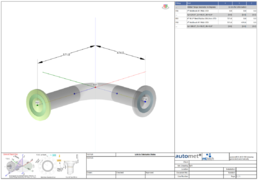 Approximate design

Carry out a site survey
See section 16.2
Transform site survey to the required orientation
See all examples 1~4, to get an idea of the concept. Take circle fits to help orientate the spool and define the pipe centres at import locations. To help this process carry out the previous steps carefully.
Create a text report
Post the site survey transformation, create a text report by pressing the text report button in the main menu.
Edit design to create deliverable
Section 7.1.2 Do not write over the design file. Create a new file; the deliverable file.
Check the deliverable by fitting the original survey to the new deliverable
This is a valuable cross check. If the original survey file fits the new deliverable file with zero errors, then a spool manufactured to this data will match exactly at key points with the original.
Inspect replacement spool during fabrication
To complete the process, use automet® to help manufacture the replacement spool. This process will result in a perfect replacement pipe spool.